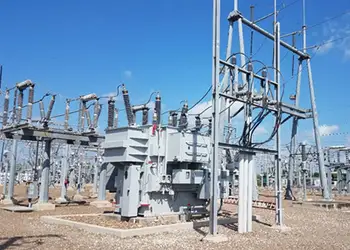
Substation Protection Training - Protect Transformers, Buses and Lines
Our customized live online or in‑person group training can be delivered to your staff at your location.
- Live Online
- 12 hours Instructor-led
- Group Training Available
Regular Price:
$799
Coupon Price:
$699
Smartphone battery saving tips for battery life and power management on iPhone and Android: adjust screen brightness, disable Wi-Fi and Bluetooth, limit push email, use GSM or EDGE when 3G is weak, enable airplane mode.
Top Insights
Settings and habits that cut power use on phones, extending lithium-ion battery life between charges for tasks.
- Dim the screen; enable auto-brightness to save power.
- Disable Wi-Fi, Bluetooth, and 3G when idle or coverage is weak.
- Limit push email; increase fetch intervals or fetch manually.
- Use airplane mode for offline tasks to stretch battery life.
If you’re a recent convert to smartphones, you’re probably still discovering all the amazing things that your new BlackBerry, Android phone or iPhone can do. But one thing you most likely found out right away: the more you do, the shorter your phone’s battery lasts.
While a standard cellphone’s charge can easily go three days or more, many smartphone owners are dismayed to learn that their new mobile toy requires charging every 24 hours, or even more often. It was great that I could use one device — my iPhone — to check my calendar and respond to multiple incoming calls during the recent Consumer Electronics Show event, but I paid the price when its battery died at 2 p.m.
The answer was not to desperately search for an electrical outlet to recharge the phone (though I’ve done that) or to consider giving up the phone (done that, too), but rather to figure out a strategy to reduce energy consumption while still having it available for essential tasks. Whether you’re using a laptop or a smartphone, the devices can be tweaked to get the most out of its lithium-ion batteries, even as the search for a better-built battery continues today.
All things being equal, the CDMA mobile standard used by Verizon uses more power than a GSM network, principally used by AT&T and T-Mobile. If battery life is critical, you might want to consider GSM as long as its coverage meets your needs.
The brighter your screen, the more juice you’re using. If you’re in a dimly lit room, turn down your LCD screen’s brightness. If your device has an auto-dimming feature that detects the light in a room, use it. Similarly, if you use your smartphone or laptop to play music, lower the volume.
If you have a BlackBerry, the company’s holster will automatically turn off the screen when you insert the phone.
It is great that you can use Bluetooth technology to connect your smartphone to a headset, or use Wi-Fi to speed up the downloading of e-mail messages. But when you’re not using that headset or not near a Wi-Fi hot spot, turn off those features on the phone or laptop.
The reason is that portable devices will continue to look for Wi-Fi or a Bluetooth headset, using power.
Similarly, put your phone to sleep when it is in standby. On an iPhone, you do so through the “Settings” icon. On a BlackBerry, use the “Manage Connections” icon.
Your smartphone is also continually looking for a cellphone signal. If you’re in a weak signal area, your phone must work even harder to find one, decreasing battery life. If you know that there is no coverage in your area, turn off your portable device’s mobile capabilities.
If your GSM 3G network is not available or the signal is weak, the battery will drain faster looking for one. Consider turning off the phone’s 3G network or using the slower EDGE network instead. It will make Web access slower but won’t affect phone call quality.
Mobile smartphones can check for e-mail messages and instant messages automatically. Or they can be set to “push” notifications as soon as they arrive in your server’s mailbox.
Both strategies can be power hogs. To increase your battery life, turn off push and increase the interval between when the phone checks for new messages. Or better, set up your phone to check for messages manually.
The simplest way to cut power to a minimum is to put your smartphone into “airplane mode.” You turn your BlackBerry or iPhone into a music player and personal organizer, and you won’t be able to receive e-mail messages or make or receive phone calls, but you will stretch your battery while fuel cell-powered devices get closer to reality.
“In airplane mode and running just the alarm clock, your iPhone battery will last up to a week,” said Kyle Wiens, co-founder of ifixit.com, an online iPhone and Mac laptop repair company.
The hotter your laptop feels, the more battery power it is using. And one of the biggest users of power is Flash animation, the technology behind many online videos and animated ads. To improve battery life, disable Flash when not using wall power. BashFlash and ClicktoFlash for Macs and Flashblock for PC are programs that will automatically restrict Flash.


There are a number of applications that can help monitor battery life and shut off various functions that cut down on a mobile device’s effective power.
Battery Go and myBatteryLife tell iPhone owners how much charge they have left and how that power translates into minutes of talk time, music, video and Web surfing.
NB BattStat alerts BlackBerry owners to the amount of battery charge remaining, as well as the battery’s temperature. (Hot batteries lose power more quickly.) The device can be set to vibrate or sound when a predetermined low battery level is reached.
Radio Saver will monitor your BlackBerry’s mobile coverage and shut off the device’s mobile circuitry when you are out of range of a cellular signal.
Best BatterySaver allows owners of mobile phones using the Symbian operating system (including models from Nokia and Sony Ericsson) to create battery-saving profiles. For example, certain features can be automatically turned on when the phone is connected to a wall plug, or Bluetooth can be automatically disconnected when the battery charge drops below a certain level.
For laptops, programs like Battery Health Monitor (Mac) and Laptop Battery Power Monitor (PC) keep track of battery charge and estimate how many more times you’ll be able to recharge your battery.
The older generation of nickel cadmium batteries suffered from memory issues; if you didn’t fully charge and discharge one, it would hold a progressively smaller amount of juice.
Today’s lithium-ion batteries don’t suffer from memory loss, so it is safe to top off a battery, and a mass-produced miracle battery still appears years away for most consumers today.
Lithium-ion batteries cannot be overcharged; a device’s circuitry cuts off the power when they are full, and efforts like a charger efficiency rating aim to curb standby waste. However, manufacturers still recommend that a laptop not be continually connected to power once the battery is at its capacity. If a laptop won’t be used for several months, it should be stored with the battery in a 50 percent charge state.
All batteries can be fully charged and discharged for a fixed number of cycles; lithium ion batteries typically last between 300 and 500 cycles, and raw materials will determine vehicle electrification in the years ahead. Information on the number of cycles can be obtained at manufacturers’ Web sites, or at batteryuniversity.com.
No matter how well you husband your battery’s resources, there comes a time when you’ll need to send your battery to its final resting place.
Like most things nearing the end of their life, your battery will stay awake less and sleep more. “If your battery lasts only an hour after you’ve charged it,” said Anthony Magnabosco, owner of Milliamp.com, a battery replacement company, “you know its time is up.”
Related News
Related News
Canada's Ambitious Electric Vehicle Goals
Canada 2035 Gasoline Car Ban accelerates EV adoption, zero-emission transport, and climate action, with charging…
View more

New York State Moratorium on Utility Disconnections During Emergencies
New York Utility Disconnection Ban protects residents during state emergencies, covering electric, gas, water, telecommunications,…
View more

Tesla CEO Elon Musk slams Texas energy agency as unreliable: "not earning that R"
ERCOT Texas Power Grid Crisis disrupts millions amid a winter storm, with rolling blackouts, power…
View more

Rolls-Royce expecting UK approval for mini nuclear reactor by mid-2024
Rolls-Royce SMR UK Approval underscores nuclear innovation as regulators review a 470 MW factory-built modular…
View more

Trump Tariff Threat Delays Quebec's Green Energy Bill
Quebec Energy Bill Tariff Delay disrupts Canada-U.S. trade, renewable energy investment, hydroelectric expansion, and clean…
View more

Biggest in Canada: Bruce Power doubles PPE donation
Bruce Power PPE Donation supports Canada COVID-19 response, supplying 1.2 million masks, gloves, and gowns…
View more
Sign Up for Electricity Forum’s Newsletter
Stay informed with our FREE Newsletter — get the latest news, breakthrough technologies, and expert insights, delivered straight to your inbox.
Electricity Today T&D Magazine Subscribe for FREE
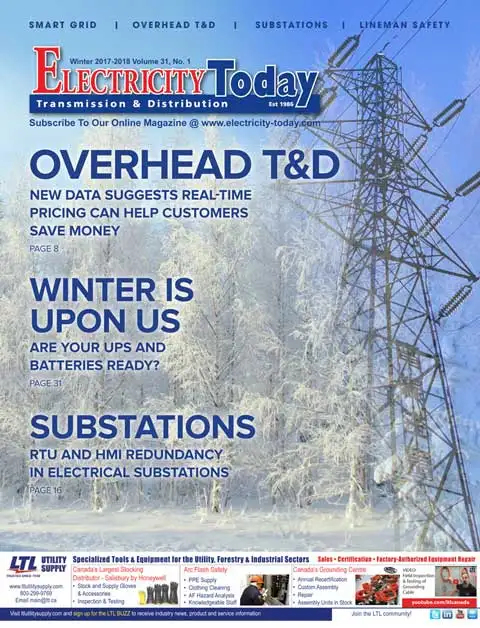
Stay informed with the latest T&D policies and technologies.
- Timely insights from industry experts
- Practical solutions T&D engineers
- Free access to every issue